Drawing
How to draw curved walls
A curved wall is drawn like a straight one: click both ends, then move the pointer to bend it. Use it for a bay, a rounded corner, a curved stair wall or a semicircular room.
You can also curve any straight wall later, and straighten it again, without drawing it twice.
Draw a curved wall
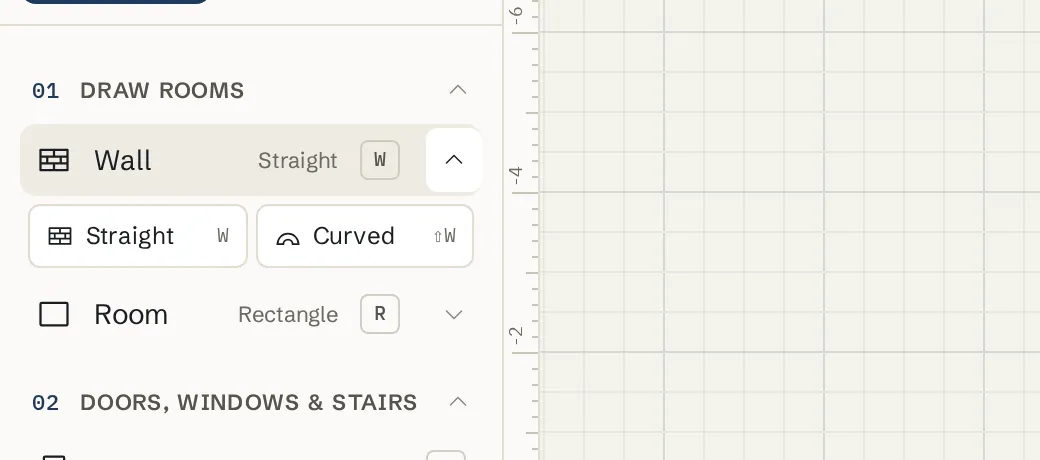
Turn on the Curved wall tool
Press Shift+W. Or click the small arrow next to Wall in the left toolbar and pick Curved. The label beside Wall now says Curved.
Click the start and the end
Click where the curve starts, then where it ends. It snaps to corners and wall ends the same way a straight wall does.
Move to bend it
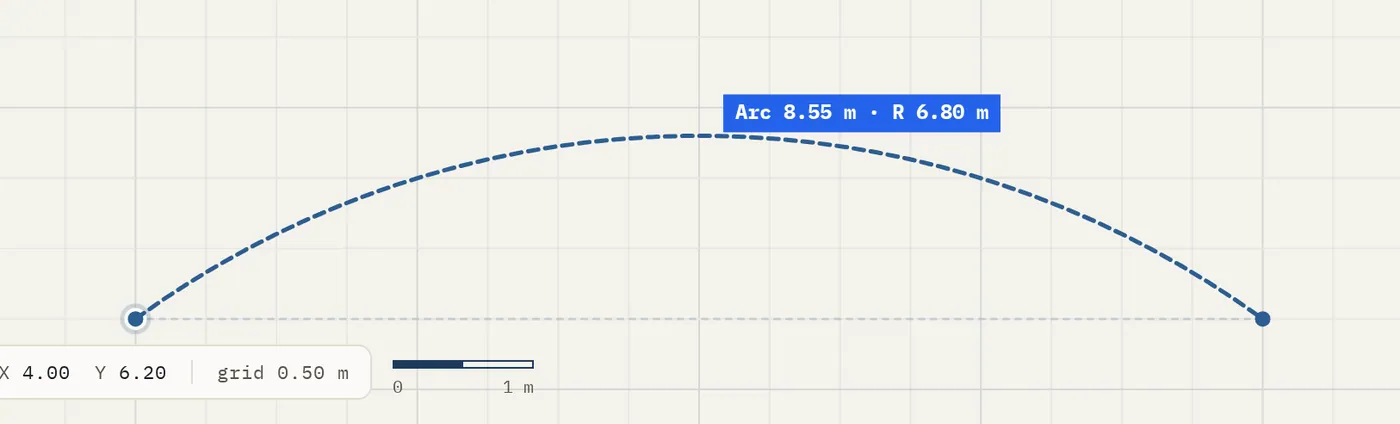
Move the pointer sideways. The wall bows out and a readout shows the bulge and radius, for example Bulge 60 cm · R 2 m. Click to place it.
Or type the radius
While bending, type a radius, for example 250, and press Enter. The wall takes exactly that radius.
Finish
Press Esc to stop drawing.
Curve, flip or straighten a wall you already drew
Drag the diamond
Select a straight wall with V. Drag the small diamond in the middle of the wall to bend it.
Use the Curve section
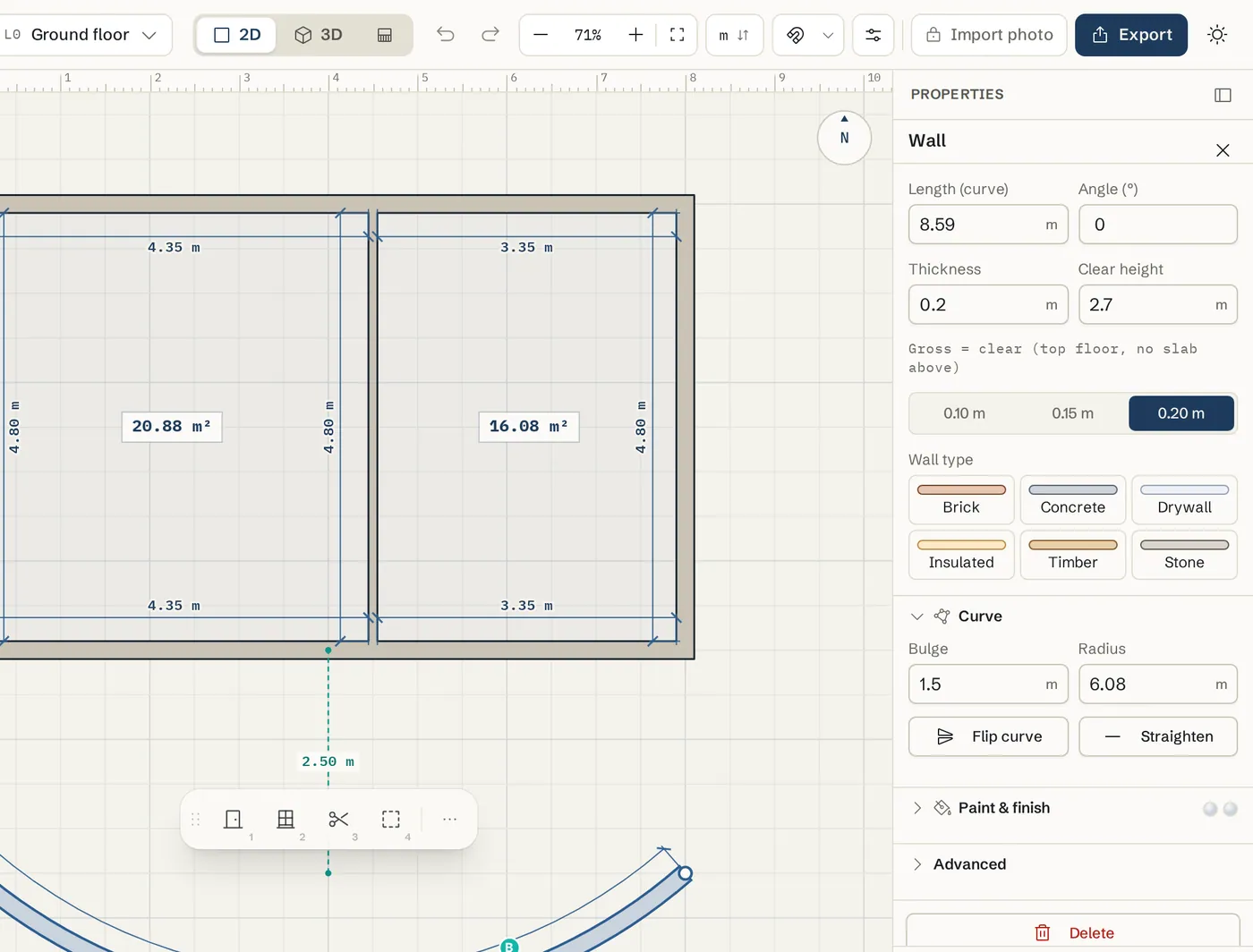
In the wall panel on the right, open Curve. Type a Bulge (how far the middle bows out) or a Radius. Flip curve bends it the other way. Straighten makes it straight again.
Or use the actions bar
Click the three dots in the small actions bar beside the selected wall and choose Curve wall. On a curved wall the same place offers Straighten wall.
Tips
- A curve can bow out at most a half circle. A bend very close to straight snaps back to straight, and one very close to a half circle snaps to exactly a half circle.
- For a whole round room in one drag, use the Room tool with the Round shape (K). See Rooms.
- Curved walls split rooms and get chain dimensions just like straight ones.
- The panel shows Length (curve): the length along the arc, not the straight distance between the ends.
Common problems
- I cannot edit a curved wall in the Elevation view
- The Elevation view draws a curved wall flattened onto its straight line, so it cannot be edited there yet. Move its doors and windows on the 2D plan instead.
- The curve will not go any rounder
- The largest curve is a half circle between the two ends. For a bigger arc, draw two curved walls end to end, or use a Round room.
- The wall snapped back to straight
- Very small bends snap to straight so a shaky hand does not leave a slight curve. Bend it further, or type a Bulge or Radius in the Curve section.
Related topics
- WallsDraw straight walls corner to corner, type exact lengths, and set thickness, height and corner join.
- RoomsDraw a whole room in one drag: rectangle, L-shape, round or any shape, at an exact size.
- Doors & windowsPlace doors and windows on walls, then set the style, size, swing, hinge and sill height.
- ElevationsSee every side of the building face on, move doors and windows on the facade, and print elevation sheets.
Try it on a real plan
Free, in your browser. No sign-up needed to start.