Account & sharing
How to change the language of SpacePlanner
SpacePlanner is available in six languages: English, Español, Bahasa Indonesia, Deutsch, Polski and Italiano. The editor, the menus and the main site pages all follow the language you pick.
The language is a personal setting. Changing it never changes your plan: room names you typed stay as you wrote them, and someone who opens your plan sees it in their own language.
Change the language in the editor
Open Settings
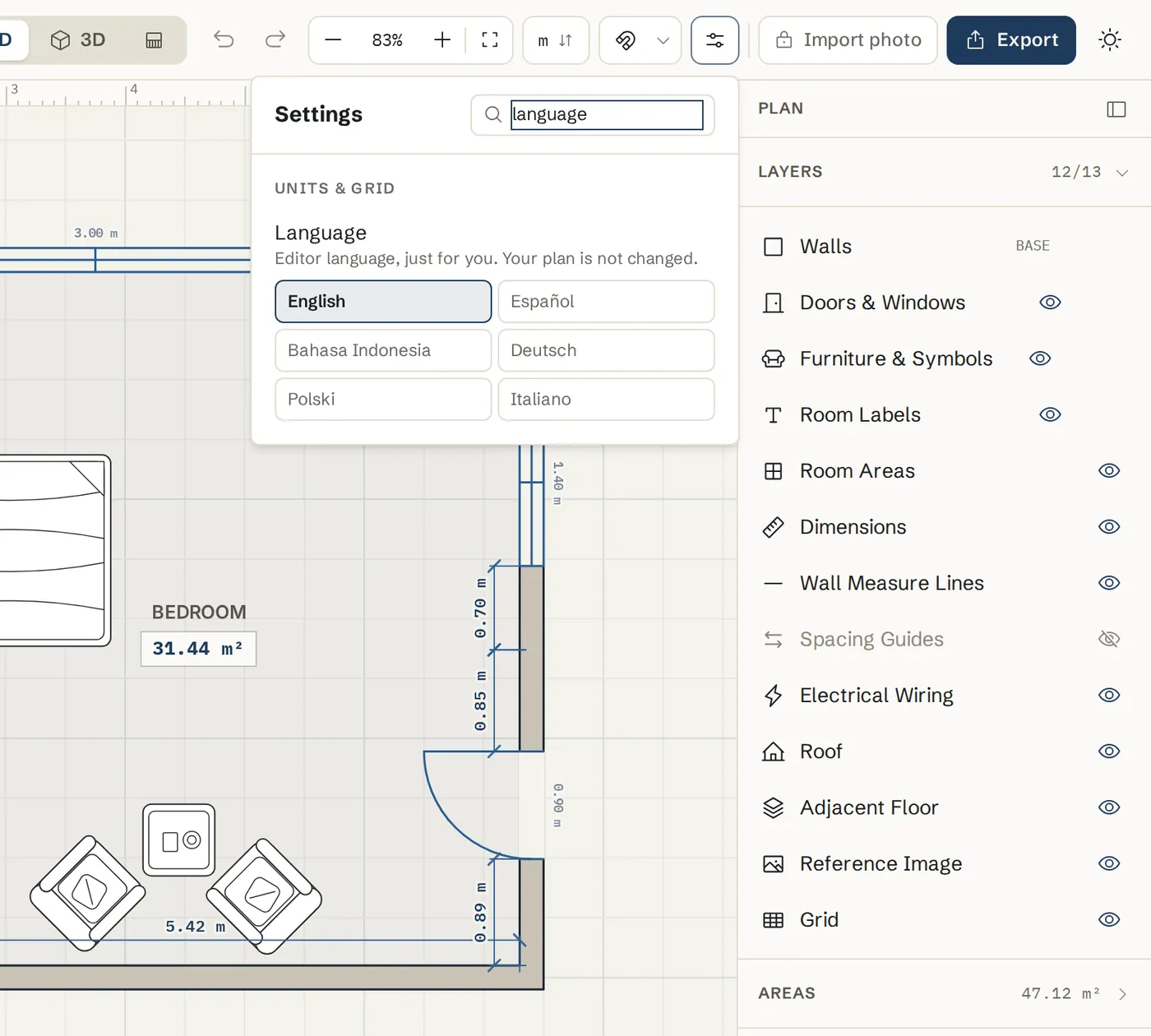
Click Settings in the top bar. You can also type language in the Search settings box.
Pick a language
Under Units & grid, find Language and click the language you want. The editor switches at once. The hint reads: Editor language, just for you. Your plan is not changed.
Change it on the website or in your account
Use the language menu on the site
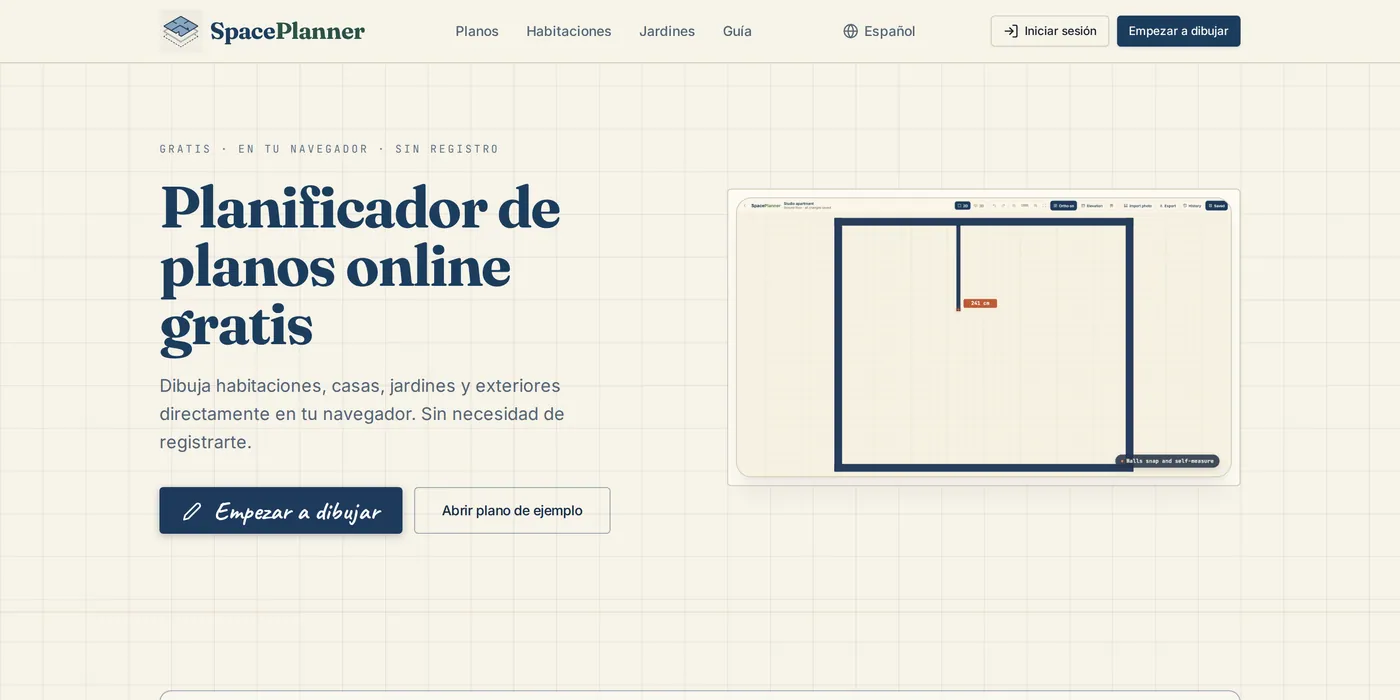
On the home page and other site pages, use the language menu in the top menu on wide screens, or at the bottom of every page in the footer. The page switches to that language, for example spaceplanner.co/es for Spanish.
Save it to your account
Signed in, open the account menu at the top right and choose Language, or go to Account settings and pick it under Language. It is saved to your account and follows you to other devices.
How SpacePlanner picks a language
The address comes first
A page address with a language prefix, such as /de/ or /it/, always opens in that language.
Then your own choice
A language you picked before, in this browser or in your account, wins over any guess.
Then your location and browser
On a first visit we guess from the country you visit from, then from your browser language. Everyone else sees English.
Tips
- Units are separate from language. New plans start in feet and inches in the United States, and in centimeters elsewhere. Change them with the units button. See Units.
- The help pages are in English. The docs home page is also available in each language, for example spaceplanner.co/es/docs.
- Plans you share open in the other person's language, with your room names unchanged.
Common problems
- SpacePlanner opened in the wrong language
- It guessed from your location or browser. Pick your language once in Settings or in the site language menu and it is remembered.
- Some text is still in English
- Room names and notes you or a template typed stay as written. Help pages are in English for now.
- My language is not listed
- Six languages are available today. Tell us which one you need with the Feedback button in the editor.
Related topics
- Units (cm, m, ft-in)Choose metric or imperial units for the whole plan and type lengths in any format.
- Saving and your accountGuest plans save in your browser; a free account keeps every plan, with version history.
- Getting startedOpen the editor, learn what is where on the screen and draw your first room in a few minutes.
Try it on a real plan
Free, in your browser. No sign-up needed to start.