Account & sharing
How to share a floor plan with someone
There are two ways to share a plan. A share link lets anyone open their own editable copy of your plan in their browser, with no account. An export gives them a PDF, image or file to print or forward.
A share link never lets anyone change your plan. Each person who opens it gets a separate copy, frozen as it was when you made the link.
Share a link to an editable copy
Open Export
Click Export at the top right of the editor. Sharing needs a free account. As a guest you are asked to sign up first, and your plan comes with you.
Create the link
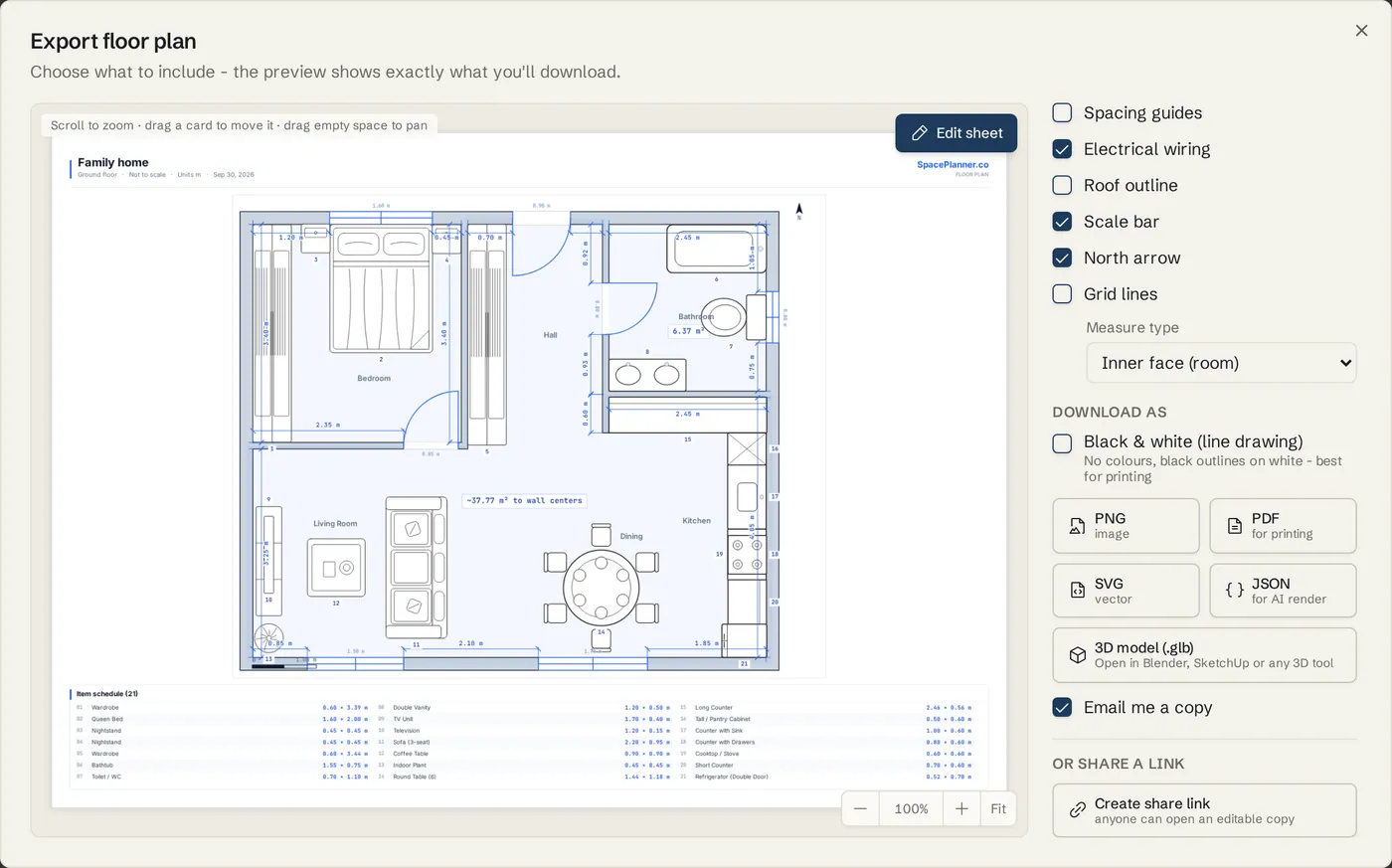
Scroll to Or share a link at the bottom of the Export dialog and click Create share link.
Copy it and send it
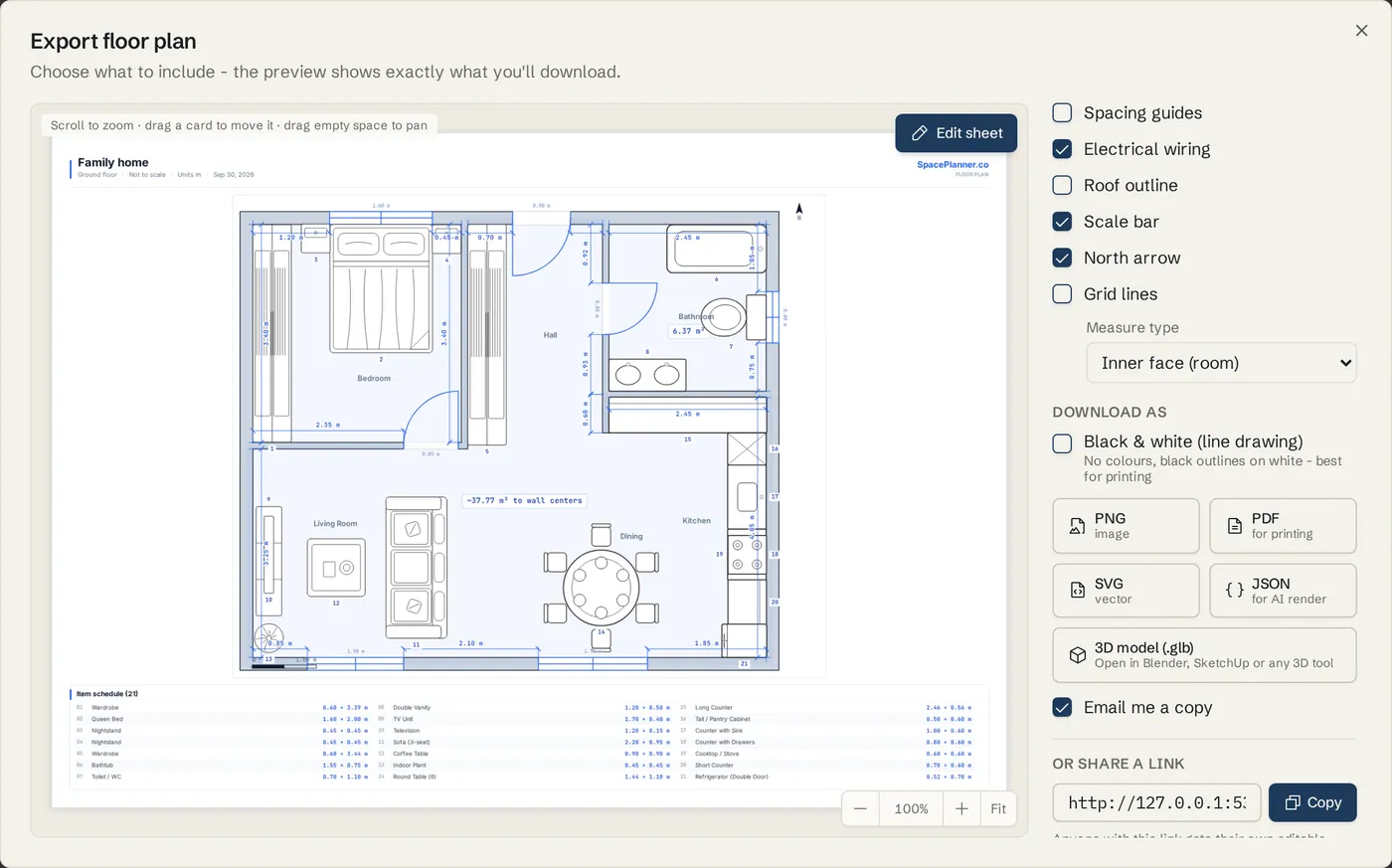
Click Copy next to the link, then paste it into an email or a chat. The note under it reads: Anyone with this link gets their own editable copy. Your plan stays private.
What the other person sees
The link opens the editor with a copy of your plan. They can change it, export it or save it to their own account. Your original never changes, and later edits you make are not in their copy.
Send a file instead
Export a PDF or image
In Export, pick the drawings and format under Download as, then download it. Tick Email me a copy to get it in your inbox, ready to forward.
Send the whole plan
Click SpacePlanner plan file (.json) in Export (or Save plan file in the Plans menu) to save a complete copy of your plan. Send the file; the other person opens it with Open plan file and has the same plan in their SpacePlanner, every floor included.
Work on one plan from several devices
Sign in on each device
Your saved plans are in your account, so the same plan opens on your laptop, tablet and phone.
Let the editor protect your work
Only one tab edits a plan at a time. If the plan changed on another device while you edited, you choose which version to keep. See Saving and your account.
Tips
- Make a new share link after big changes. Old links keep showing the plan as it was.
- The link shares the floor you have open. For a whole house, export a PDF with all levels, or share one link per floor.
- Copy link on a dashboard card copies a link to your own saved plan, which only you can open while signed in. Use Create share link for other people.
- For a client or builder who only needs to look, a PDF is often simplest. See Export to PDF.
Common problems
- The person I sent the link to cannot see my latest changes
- A share link is a snapshot. Create a new share link and send that one.
- Can two people edit the same plan at the same time?
- Not live. Each share link opens a separate copy. To hand a plan over, share a link and let the other person save their copy to their account.
- The link says the shared plan could not be found
- The link may have been removed, or was copied only in part. Ask for a fresh link and paste the whole address.
- Export asks me to create an account
- Sharing and exporting need a free account. Sign up from that window and your drawing moves into the new account.
Related topics
- Export & print (PDF)Download plans and elevations as PDF, PNG, SVG or a 3D model, true to scale on A4 to A0 paper, or save the whole plan as a SpacePlanner plan file.
- Saving and your accountGuest plans save in your browser; a free account keeps every plan, with version history.
- Import & trace a planTrace over a photo or scan of a plan at its true scale, or paste plan JSON to build walls and rooms.
- Templates and examplesOpen a ready-made apartment, house, office or garden plan and change it to fit.
Try it on a real plan
Free, in your browser. No sign-up needed to start.